
Thermostat Blank Screen: Fast Fixes and When to Call for Help
Thermostat Blank Screen: Fast Fixes and When to Call for Help
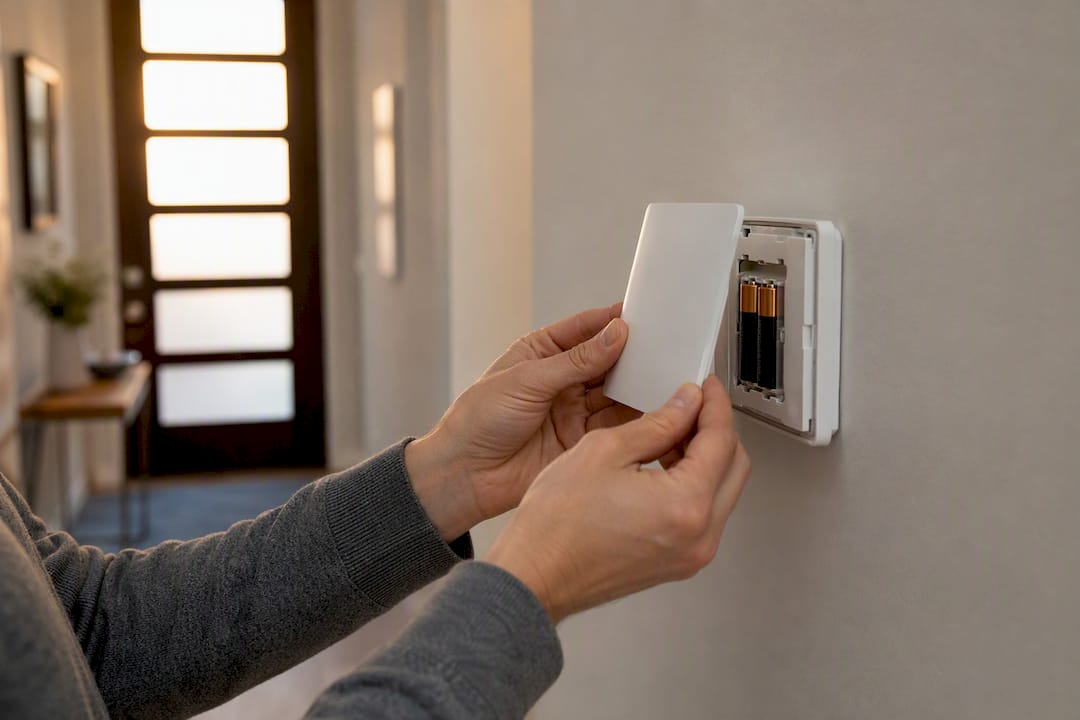
A blank thermostat screen almost always means the unit isn’t getting power. Before you assume the worst, run three quick checks: swap in fresh batteries if your model uses them, look at your HVAC circuit breaker, and check the power switch on your furnace or air handler. Most cases resolve with one of these three moves.
A smaller share of cases point to something deeper, like a blown low-voltage fuse or a tripped safety switch inside the furnace. Those require more care, and a few require a technician.
Do this now:
- Replace the batteries with fresh ones, even if the old ones “look fine.”
- Find your HVAC breaker in the electrical panel and check whether it’s tripped.
- Locate the furnace or air handler’s power switch (it looks like a light switch) and confirm it’s on.
One safety rule before you touch anything else: never work on live wiring, and never tape over or bypass a safety switch to force the system on. Those switches exist to stop a fire or a flood, not to annoy you.
Key Takeaways
A blank thermostat screen is almost always a power problem, and battery replacement resolves it more often than any other single fix.
| Point | Details |
|---|---|
| Start with batteries | Fresh batteries fix roughly 40% of blank-screen cases in minutes. |
| Check the breaker once | Reset a tripped breaker one time only; repeated trips mean call a pro. |
| Know your thermostat type | Battery-only and hardwired units require different diagnostic steps. |
| Stop at the transformer | Testing transformer output needs a multimeter and belongs to a technician. |
| Never bypass safety switches | Door and float switches prevent fire and flooding; forcing them defeats their purpose. |
Table of Contents
- What to Check First When Your Thermostat Blank Screen Won’t Clear
- Is Your Thermostat Battery-Powered or Hardwired?
- Checking Wiring, Fuses, and the Transformer Safely
- Safety Traps: What You Should Never Try to DIY
- Which Thermostat Problems Are Most Common?
- Try These Fixes in Order Before Calling for Service
- Why Call Brighton Air Corp for a Blank Screen You Can’t Fix
- Where to Read More on Thermostat Troubleshooting
- The Real Lesson Behind a Dark Thermostat Screen
- Frequently Asked Questions
- Sources
What to Check First When Your Thermostat Blank Screen Won’t Clear
Work through these steps in order. Most homeowners solve the problem within the first two.
- Open the battery compartment. Most digital thermostats hide it behind the faceplate or on the back panel. Use fresh AA or AAA batteries (check your model, since both sizes are common), and make sure the polarity arrows match. Wait 30 to 60 seconds after inserting them before expecting the screen to wake up.
- Check the HVAC breaker. It’s usually labeled “AC,” “Furnace,” or “HVAC” in your panel. If it’s tripped, the switch sits in a middle position rather than fully up or down. Flip it firmly to off, then back to on. If it trips again immediately, stop. Don’t reset it a third time.
- Inspect the furnace or air handler switch and access panel. The service switch looks like a standard wall switch, often mounted near the unit or on a nearby wall. Confirm it’s in the “on” position, then check that the access panel is fully seated. Many furnaces won’t run at all if the panel is even slightly ajar, since that panel triggers a safety switch.
- Look for water, burning smells, or scorch marks around the furnace or air handler. Any of these change your next move entirely: skip further troubleshooting and call a professional.
Pro Tip: Keep a spare set of batteries taped inside your thermostat’s cover plate or in a kitchen drawer. It turns a 10 minute headache into a 90 second fix next time.
Is Your Thermostat Battery-Powered or Hardwired?
The fix that works depends entirely on which type you own, and mixing up the two wastes time on the wrong checks.
Battery-only thermostats are usually older, basic models with no backlight staying on constantly and no wifi or app. If you pop the unit off its wall plate, you’ll find two AA or AAA batteries and nothing else behind it, no bundle of colored wires feeding a control board. These units go completely dark the moment batteries die, with zero warning beyond a low-battery icon days earlier.
Hardwired and smart thermostats pull power from your HVAC system’s 24-volt transformer, not from batteries (though some smart models use batteries as backup only). If yours has wifi, a touchscreen, or connects to an app, it’s almost certainly drawing from this low-voltage circuit. A blank screen on one of these usually means the thermostat isn’t receiving that 24V supply at all, whether the culprit is the breaker, the transformer, the furnace control board, or a blown fuse.
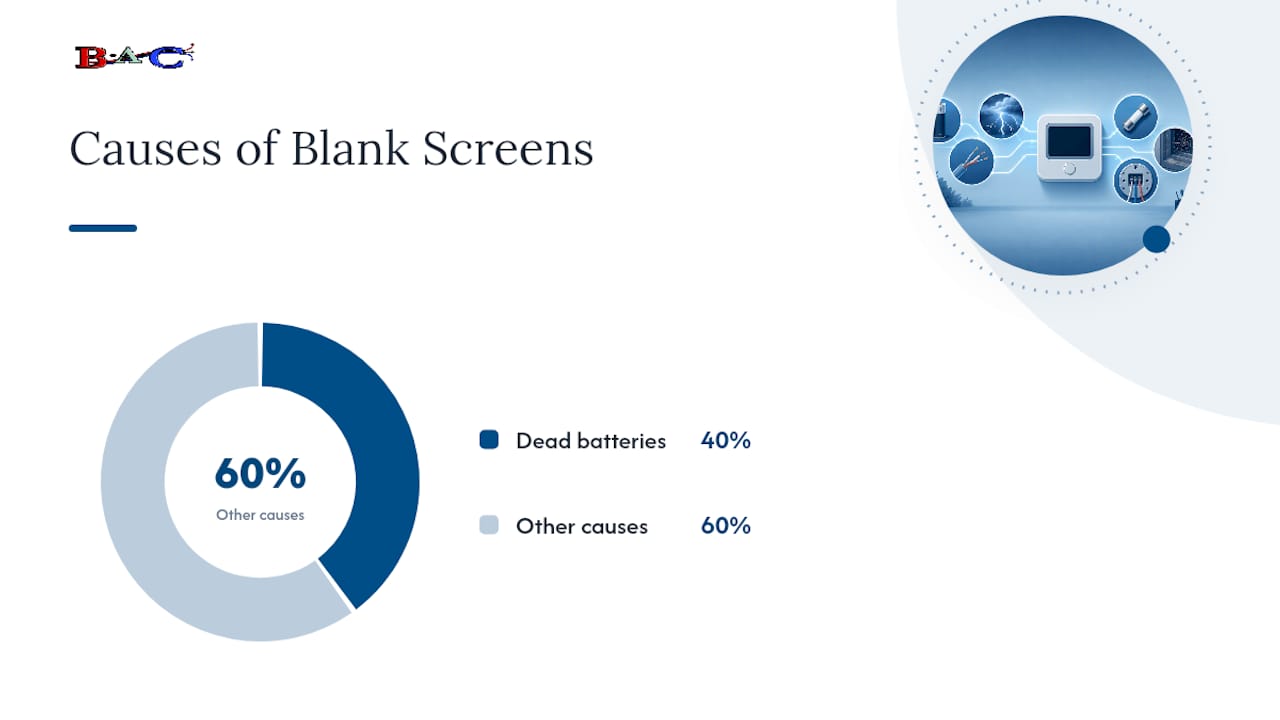
Field-based troubleshooting data suggests dead batteries account for roughly 40% of blank-screen calls, making them the single most common cause by a wide margin, even ahead of breaker trips.
Smart thermostats add a wrinkle basic units don’t have: software. A few checks specific to connected models:
- Check the manufacturer’s app for a “device offline” or “low power” alert before assuming a hardware failure.
- Try a soft restart by removing the unit from its base for 10 seconds and reseating it, which clears most temporary glitches.
- Check for a pending firmware update once the screen returns. An interrupted update can sometimes leave a smart thermostat stuck mid-boot with a blank display.
- If you recently swapped in a new smart thermostat, confirm it’s rated for your system type. A unit built for standard forced-air won’t necessarily run heat pumps, dual-fuel, or high-voltage baseboard setups without an adapter.
If you’re weighing an upgrade anyway, smart and programmable thermostats generally offer better efficiency tracking than basic digital models, though that’s a separate decision from fixing today’s blank screen.
Checking Wiring, Fuses, and the Transformer Safely
Once batteries and the breaker check out clean, the problem lives somewhere in the low-voltage wiring or the components feeding it. Some of this you can inspect yourself. Some of it you genuinely can’t.
Start by removing the thermostat’s faceplate from its wall-mounted base. Most snap off without tools. With the base exposed, you can visually inspect the terminal connections labeled R, C, W, Y, and G without ever touching live household voltage, since this circuit only carries 24 volts. Look for:
- Wires that have slipped loose from their terminal screws.
- Green or white corrosion buildup on any terminal.
- A wire color that doesn’t match its labeled terminal, which suggests a previous miswiring.
The low-voltage fuse itself usually lives on the furnace control board inside the furnace cabinet, not at the thermostat. It’s small, often rated at 3 amps, and a blown one will typically show a visibly broken filament or a scorched glass tube, similar to a car fuse. Furnace manufacturers sometimes label this fuse directly on the control board’s silkscreen.
Testing the transformer is where homeowner troubleshooting should stop. Confirming transformer output requires a multimeter and knowing what voltage range is normal for your specific system, and touching the wrong terminal on a live control board can damage it further or cause a shock. If you’ve replaced the fuse once and it blows again immediately, that’s a strong sign of a short elsewhere in the system, not a fluke.
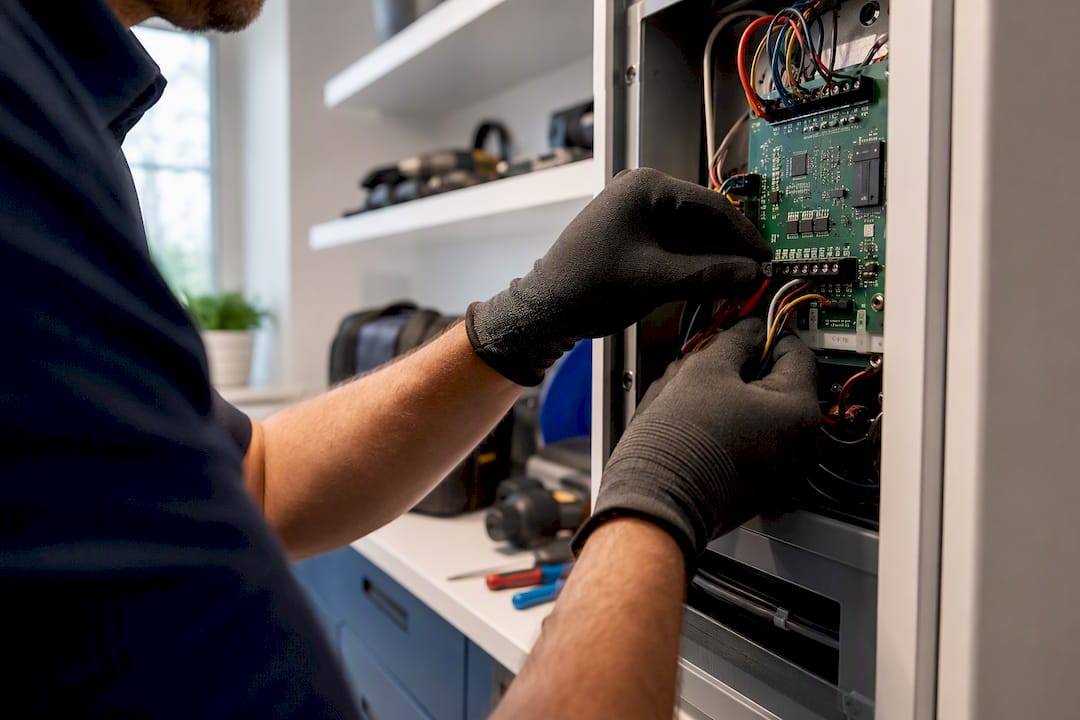
Pro Tip: Snap a photo of your wiring terminals before you remove anything. If a technician needs to rewire the base, that photo saves them time, and saves you money on the visit.
Loose wires you can gently reseat. Corroded or melted-looking wires mean stop and call a professional, since forcing a connection there risks a bigger failure.
Safety Traps: What You Should Never Try to DIY
A few mistakes turn a simple blank-screen problem into an expensive one, or a dangerous one.
Never bypass, tape over, or jam a safety switch, including the furnace door switch or the condensate float switch. These exist specifically to shut the system down before it starts a fire or floods your utility closet. Forcing one closed defeats the entire purpose of the part.
If a breaker trips the instant you reset it, don’t flip it a second or third time hoping it’ll hold. Repeated tripping means current is finding a path it shouldn’t, and each attempt risks damaging components further.
Call a technician immediately if you smell burning, see sparks, notice visible scorch marks near the furnace, or if a replacement fuse blows again right after installation. None of these are wait-and-see situations.
Before that call, gather what you can:
- Take photos of the thermostat wiring and any visible damage.
- Note the fuse rating if you found and replaced one.
- Write down roughly when the screen first went blank and what, if anything, happened right before (a storm, a power outage, recent HVAC work).
That information cuts diagnostic time on a service visit substantially.
Which Thermostat Problems Are Most Common?
Not every blank screen has the same likely cause, and knowing the odds helps you decide where to spend your effort first.
| Cause | Relative Frequency | Next Step |
|---|---|---|
| Dead batteries | About 40% of cases | Replace batteries; homeowner-fixable in minutes |
| Tripped breaker | A notable share of cases | Reset once; call a pro if it trips again |
| Blown low-voltage fuse | Some cases | Locate fuse on control board; replace if you’re comfortable, otherwise call a pro |
| Loose or damaged wiring | About 10% of cases | Visual check only; reseating is fine, repairs are not |
| Thermostat hardware failure | About 7% of cases | Usually needs replacement rather than repair |
| Safety switch shutdown | About 3% of cases | Identify the switch; do not bypass it, call a pro |
That ranking comes from field diagnostics rather than a lab study, but it lines up with what most HVAC calls actually turn up. Age matters here too: a thermostat over eight or ten years old that’s already failed once is usually a better candidate for replacement than repeated repair, especially after a lightning strike or power surge that may have damaged its internal components in ways that aren’t visible.
Try These Fixes in Order Before Calling for Service
Run through these four steps in sequence, checking the screen after each one before moving to the next.
- Replace the batteries. Use fresh ones, confirm polarity, and wait a full 60 seconds. If the screen lights up, you’re done. If not, move on.
- Reset the HVAC breaker. Flip it off, wait 10 seconds, then flip it back on. Watch whether the system starts running (you should hear the blower or feel air moving) rather than just checking the thermostat screen alone.
- Reseat the thermostat and check terminal wiring. Remove the faceplate, confirm every wire sits firmly in its labeled terminal, and snap it back into place.
- Open the furnace access panel and check the condensate float switch. Look for standing water in the drain pan or tubing. A tripped float switch from a clogged condensate line is a common, and often overlooked, cause of a dead thermostat on AC systems specifically.
If you’ve gone through all four and the screen is still dark, the issue is almost certainly inside the furnace control board or transformer, which is where DIY troubleshooting should end.
Why Call Brighton Air Corp for a Blank Screen You Can’t Fix
Brighton Air Corp technicians run multimeter voltage tests, check fuses and transformer output, and inspect the control board directly, work that requires equipment and training most homeowners don’t have. With over 150 years of combined technician experience serving New Jersey since 1993, Brighton Air Corp offers 24/7 emergency service and documents exactly what caused the failure before recommending a fix.
Where to Read More on Thermostat Troubleshooting
Manufacturer guides from Trane and Honeywell cover model-specific power and wiring details.
The Real Lesson Behind a Dark Thermostat Screen
Most advice on this topic buries the useful part under too much hedging. The actual pattern is simple: batteries and breakers solve the overwhelming majority of cases, and everything past that gets technical fast. Homeowners lose time treating a dead-battery problem like a wiring mystery, or worse, treating a wiring mystery like something a YouTube video can fix.
The conventional advice usually undersells the safety switches. A furnace door switch or condensate float switch isn’t a minor inconvenience standing between you and a working system. It’s doing its job. Bypassing it to get heat back on for one cold night isn’t a shortcut, it’s a gamble with fire or water damage.
If you take one thing from this: run the free, safe checks first, batteries, breaker, panel seating. If the screen stays dark after that, stop guessing. A technician with a multimeter will find the actual cause faster than another hour of trial and error, and won’t leave a safety switch compromised in the process.
Frequently Asked Questions
Why is my thermostat blank if the batteries are new? If fresh batteries don’t fix it, check the HVAC breaker next. On hardwired or smart models, a blank screen after a battery swap usually points to a lost 24V supply from the transformer or control board rather than the batteries themselves.
Is a blank Honeywell thermostat screen different from other brands? No. A Honeywell thermostat blank screen follows the same troubleshooting order as any other brand: batteries first, then breaker, then wiring and fuses.
How do I reset a thermostat with a blank screen? Remove it from its wall base for about 10 seconds, then snap it back into place. For hardwired units, resetting the HVAC breaker accomplishes a similar full power cycle.
Can a thermostat display problem mean my whole HVAC system is broken? Not usually. A blank screen typically means the thermostat itself has lost power, not that the furnace or air handler has failed. Confirm the system runs once power is restored to rule that out.
Should I replace or repair a thermostat with recurring blank-screen issues? If the unit is older than eight to ten years or has failed more than once, replacement is usually more practical than repeated repairs. Professional installation, as outlined in guides on programmable thermostat setup, also helps avoid compatibility issues with newer smart models.
Sources
- Thermostat Not Working: Causes and Solutions - Trane®
- Thermostat Blank? 6 Causes Ranked by Frequency | MR. HVAC